 Miks
A terminal for a bunch of agents at once
Miks replaces Terminal.app with workspaces, tabs, and every agent's status at a glance, whether it's Claude Code, Codex, Antigravity or Grok. Walk away from your Mac and keep going on your iPhone or iPad. Open the Mac Studio in the basement from your laptop.

See which agent needs you without looking at each one
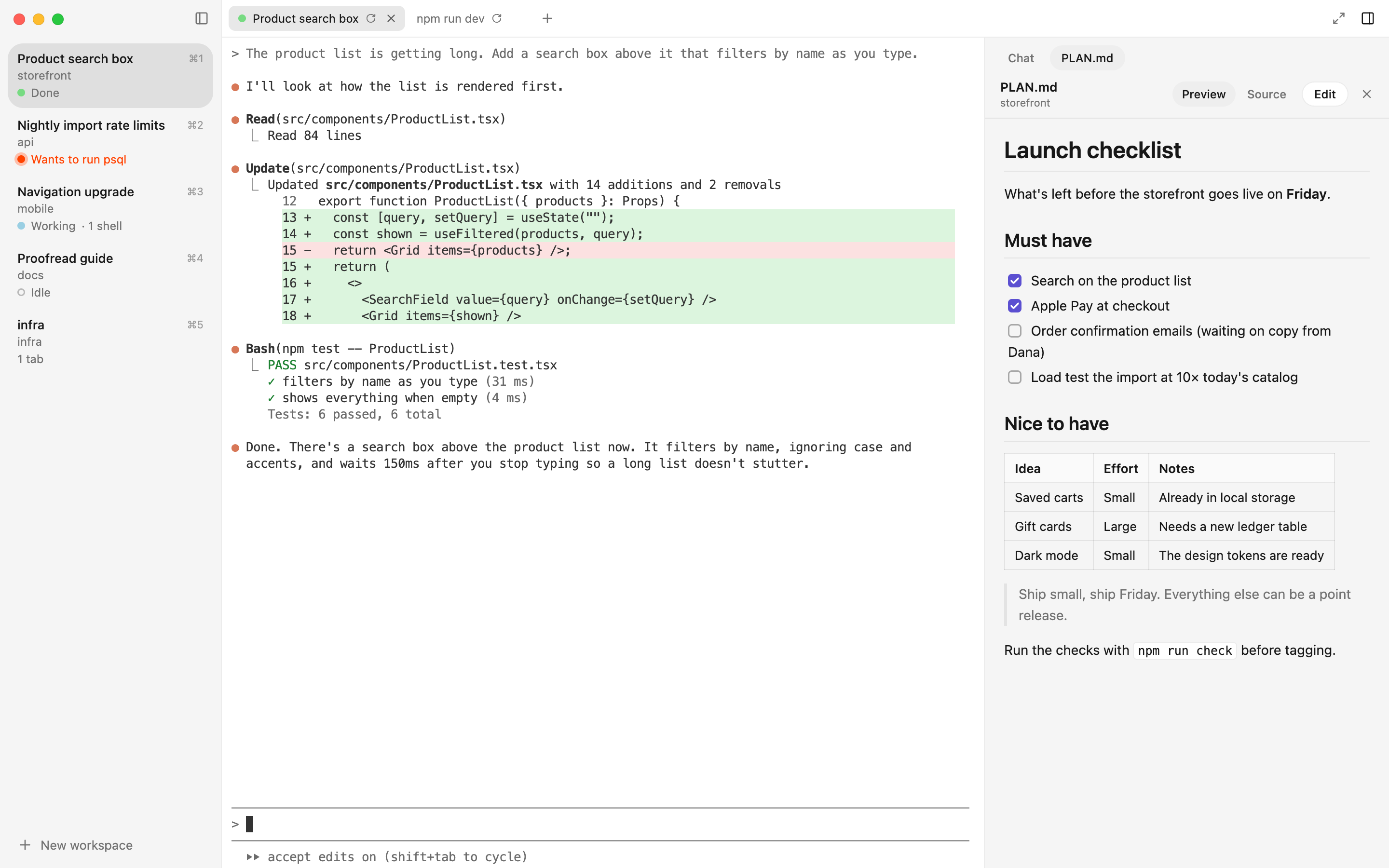
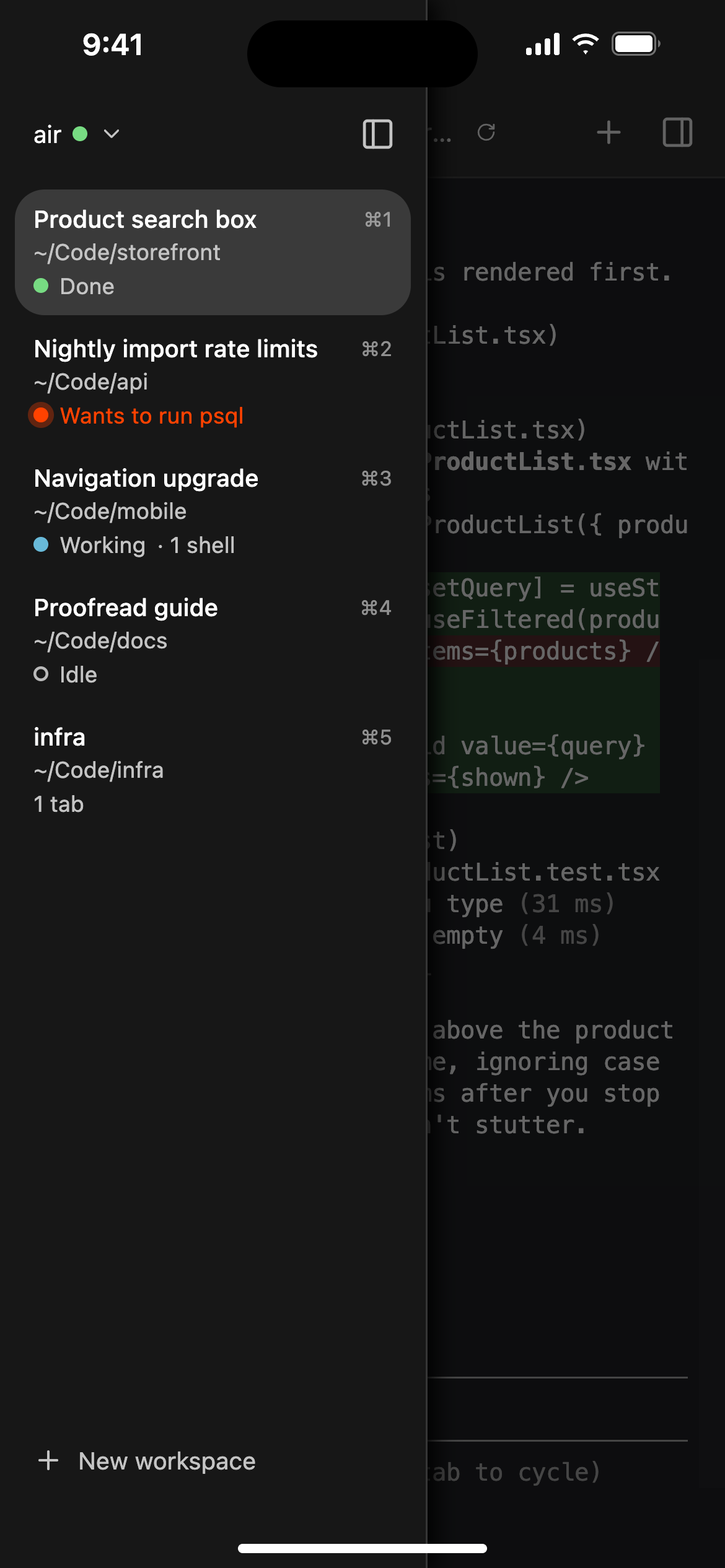
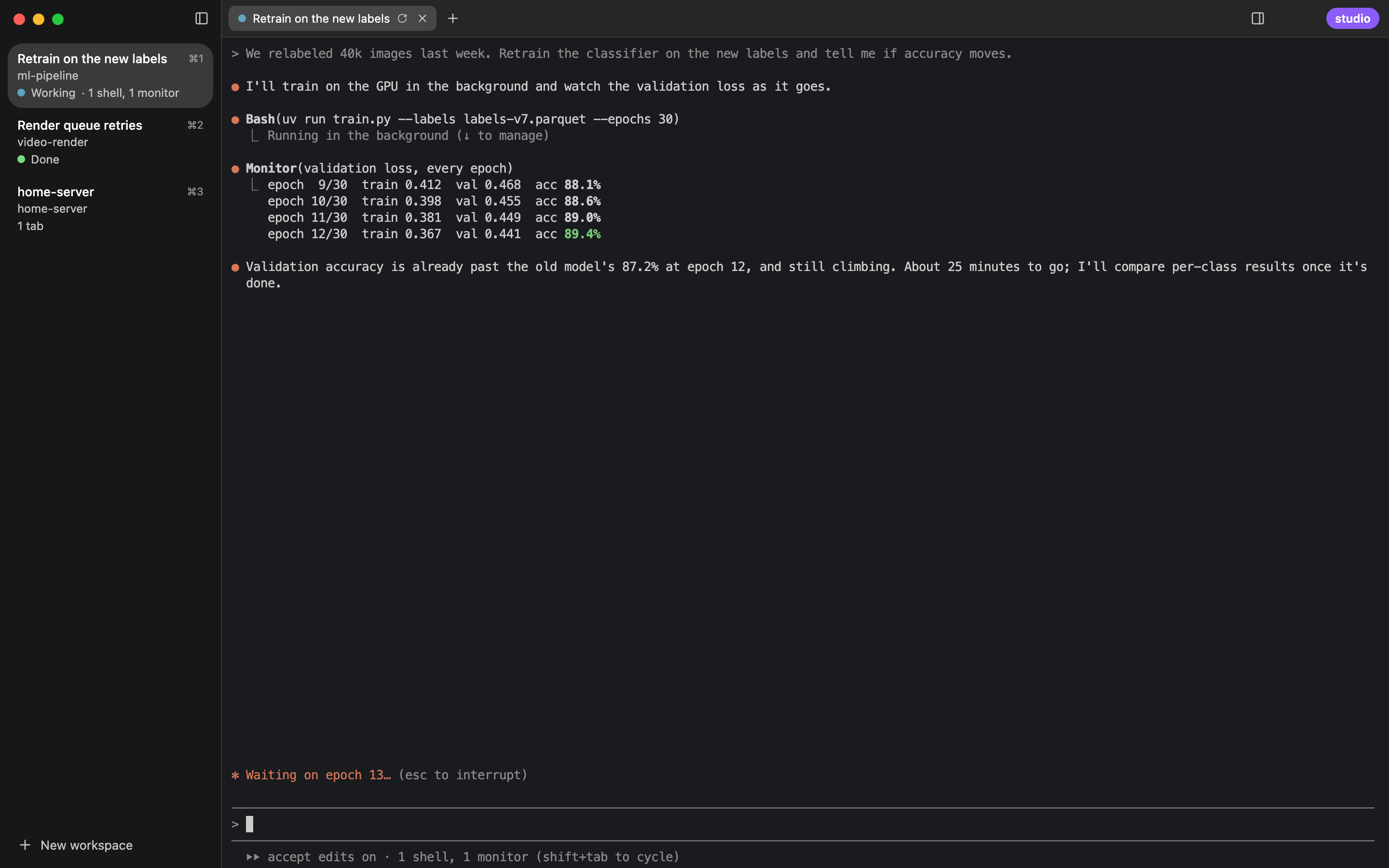
Every workspace in the sidebar says what its agent is doing: Claude Code, Codex, Antigravity's CLI or Grok's, each reported by the agent itself. Start five sessions, switch to something else, and come back to the one that's ready.
- Working with what it has running in the background: “1 shell, 1 monitor”.
- Needs you in its own words: “Wants to run psql”.
- Done with a notification, unless you're already looking at it.
Comes back where you left it
Quit and relaunch: the layout, each tab's folder and shell history, and its agent's session, resumed.
A chat panel beside the terminal
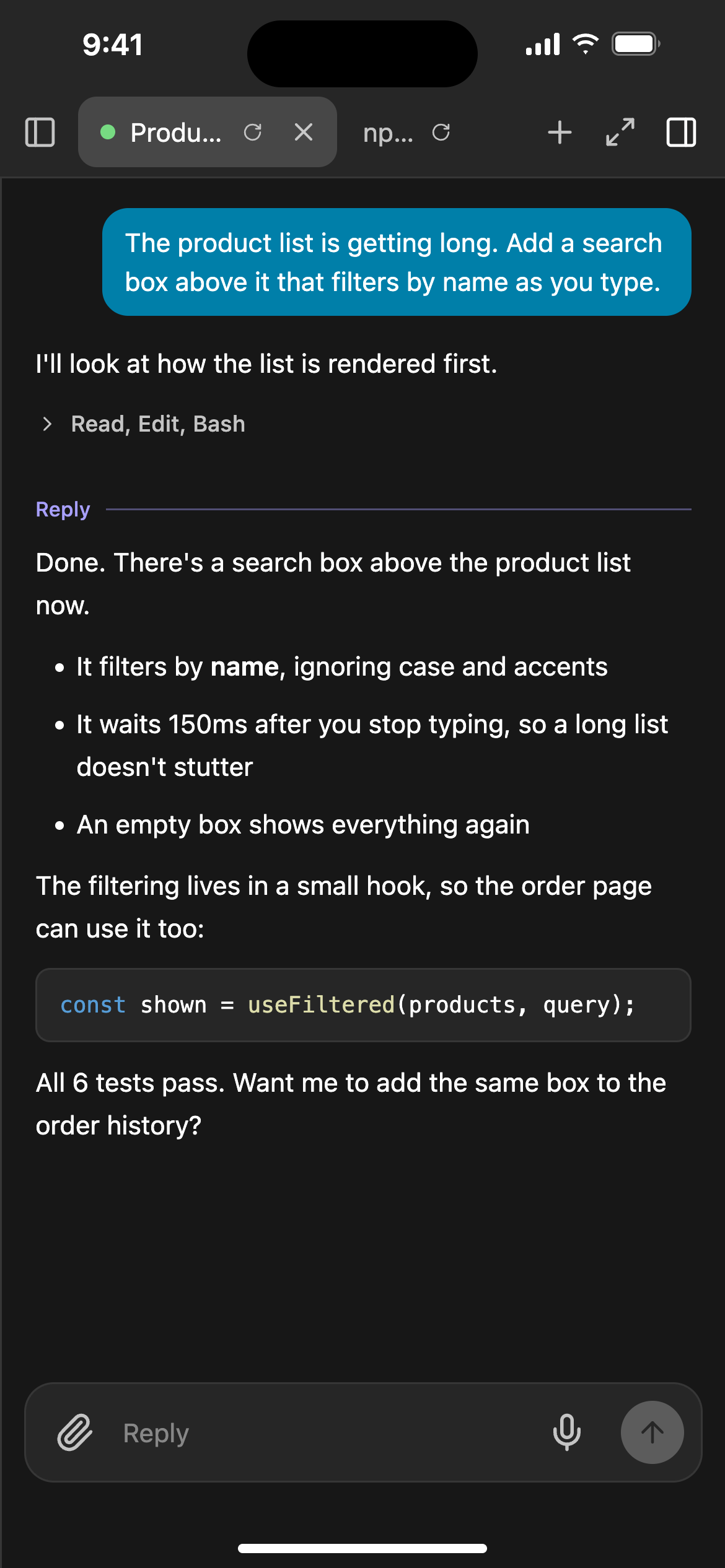
The tab's conversation in readable type with real markdown, and a box for the next message. Long replies open it on their own.
Terminals that outlive the window
A background daemon owns every shell, so reloading or updating the app never touches a session.
Workspaces and tabs
Drag to reorder. ⌘1–9 to jump, ⌘⇧[ ] to walk through every tab in order.
Drop files in
Their paths are typed for you. Hold ⌥ to copy them into the tab's folder instead.
Follows light and dark
And tells Claude Code when the appearance changes, so its colors switch too.
Walk away. Keep going on your phone.
The Miks app for iPhone and iPad opens your Mac's terminals over Tailscale. Turn on one switch on the Mac and your phone, your iPad and your other Macs can all reach it. Only devices signed in as you get in, and nothing is exposed to the internet.
It notifies you the way Messages does. When a turn ends and you're away from the Mac, your phone hears about it right away. If you're sitting at the Mac, it waits a minute in case you see it there first. Once you've seen it anywhere, the notification disappears from every device.
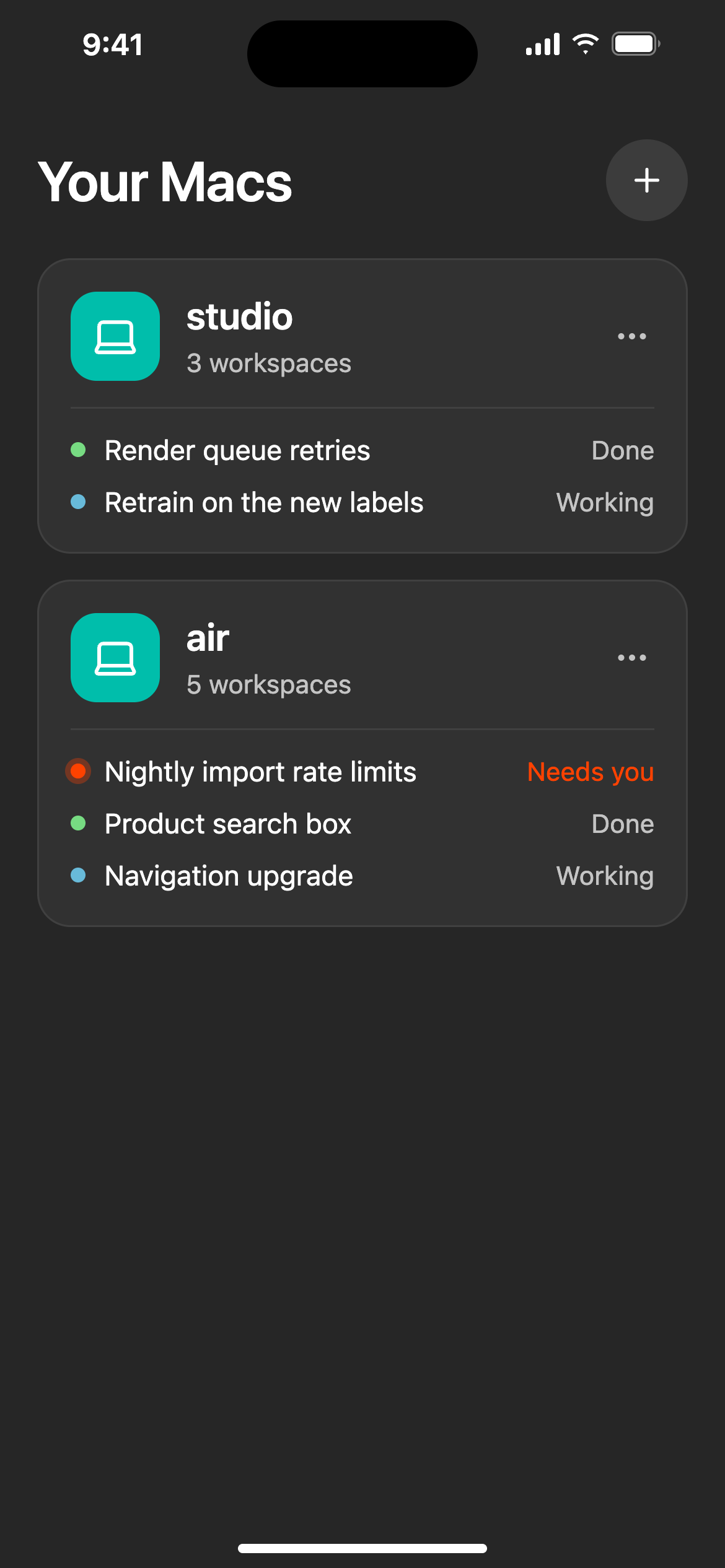
Every Mac's agents are on one screen, and you can reply in the chat panel by typing or dictating.
It stays awake while you're away. Plugged in, Miks keeps your Mac on the network. Lock it as usual and your
agents keep their terminals and Chrome. Or let Miks lock it: the screen goes dark until Touch ID or your password, and agents
can still use the screen. Press ⌃⌘Q on your way out.
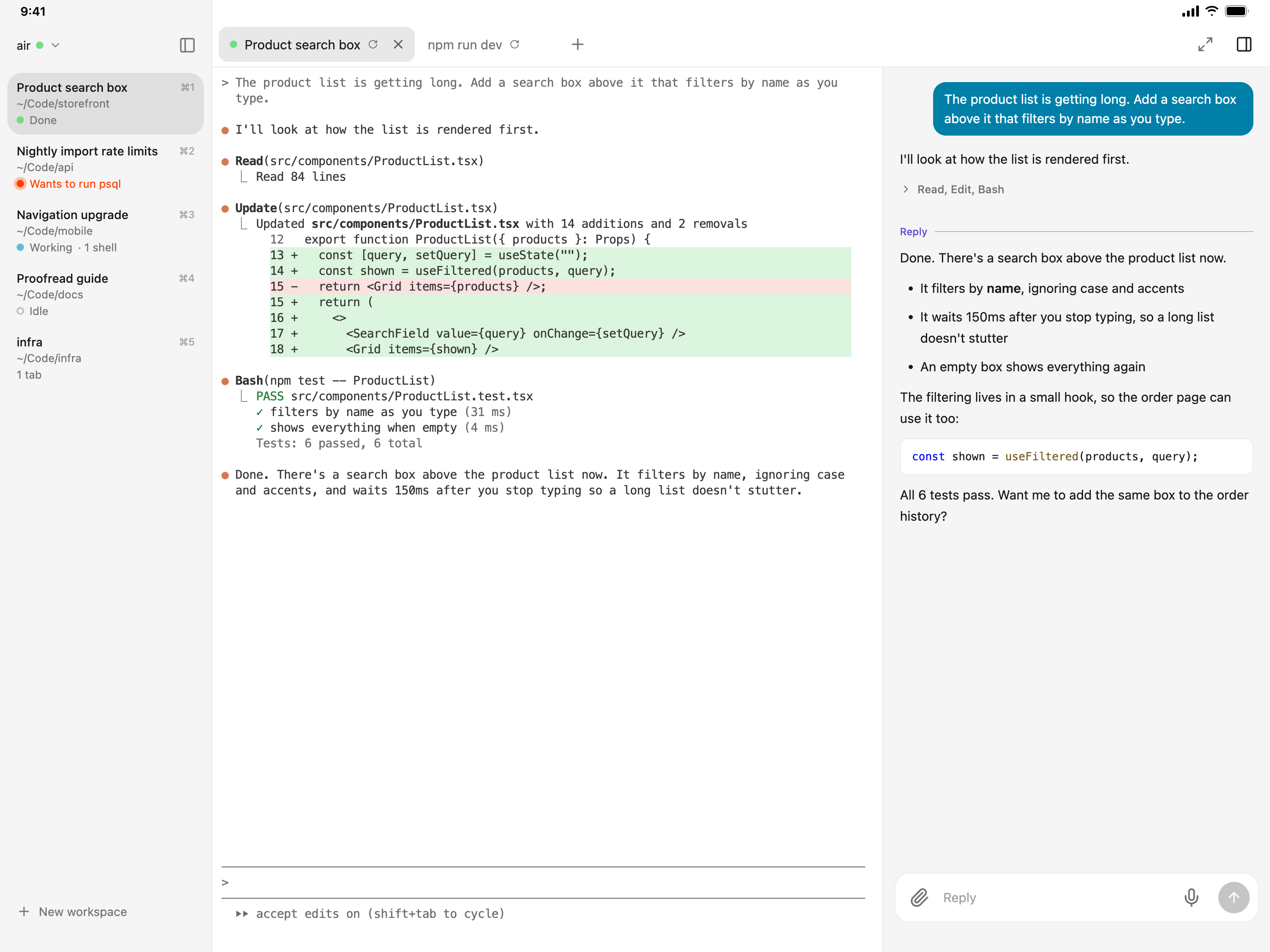
On an iPad, it's the whole thing: sidebar, terminal, and chat, with two-finger scrolling and a key bar for Esc, Tab, Ctrl, and the arrows.
The Mac Studio in the basement, on your laptop
A remote window shows another Mac's terminals over Tailscale. There are no SSH keys or ports to set up: Add a Mac lists your Macs on Tailscale, and you pick one. Each window is labeled with the Mac it's on.
It behaves as if that Mac were in front of you. Copying lands on the Mac you're actually using. Dropped files and
pasted screenshots are sent over, so the agent there can see them. miks browse localhost:3000 opens that Mac's dev
server with no tunnel to set up.
Run miks update in a remote window to update Miks on that Mac.
A few commands of its own
Miks's shell adds a miks command. You can use it, and so can your agents.
miks open PLAN.md
Shows a file in the panel beside the terminal. Markdown is rendered, and code is syntax highlighted.
miks edit notes.txt
Opens it in a real editor. It's also $EDITOR, so git's commit messages and Claude Code's ⌃G open there.
miks browse localhost:3000
Shows a web page in the panel, loaded from the Mac the terminal is on.
miks keep npm run dev
Runs it, and runs it again when Miks restores the tab, just as agent sessions are resumed.
miks update
Updates Miks on this Mac, and says what it did. Handy from a remote window.
miks version
What's running, and what's installed if it's newer and waiting for a restart.
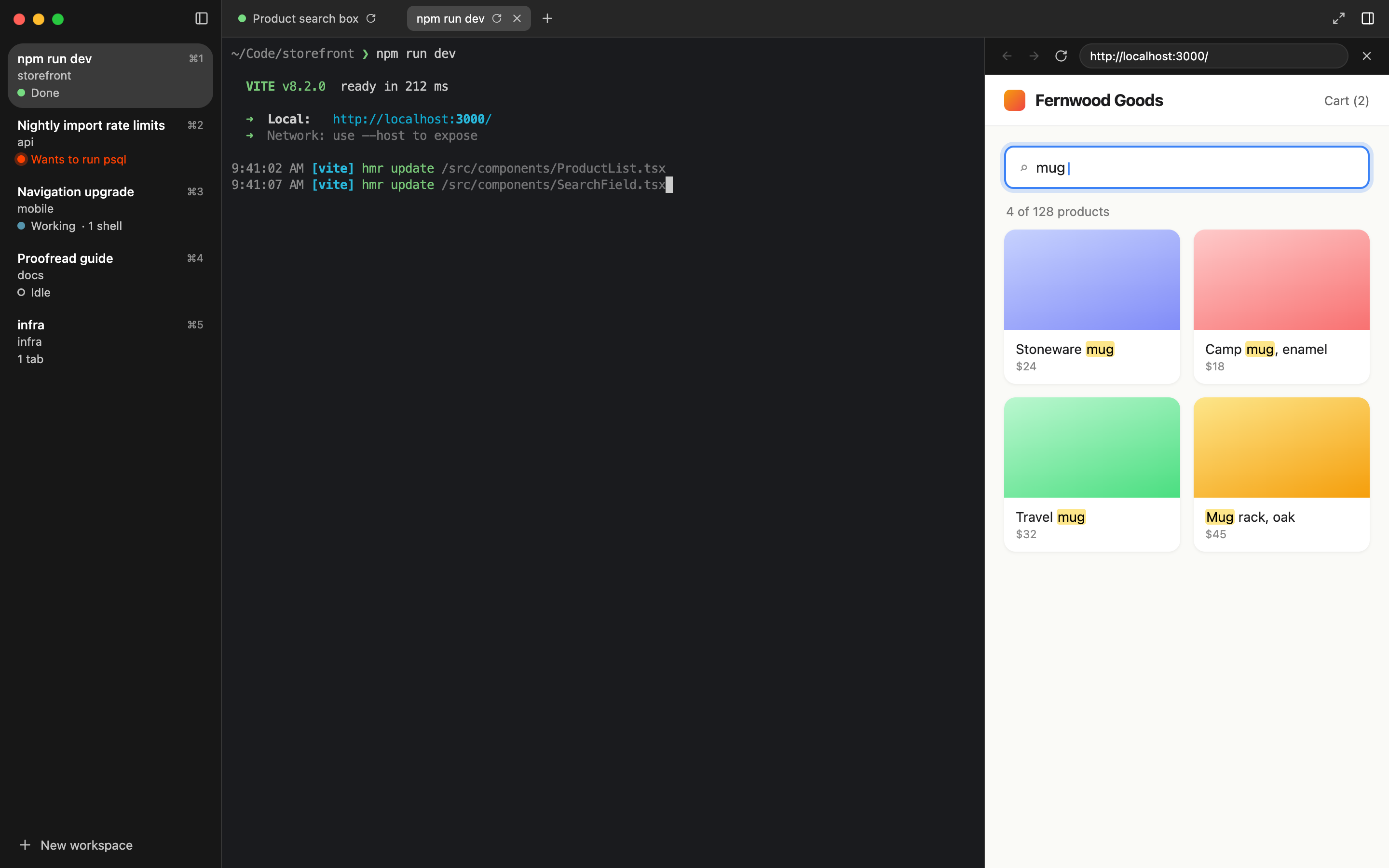
miks browse localhost:3000 beside the dev server it's serving.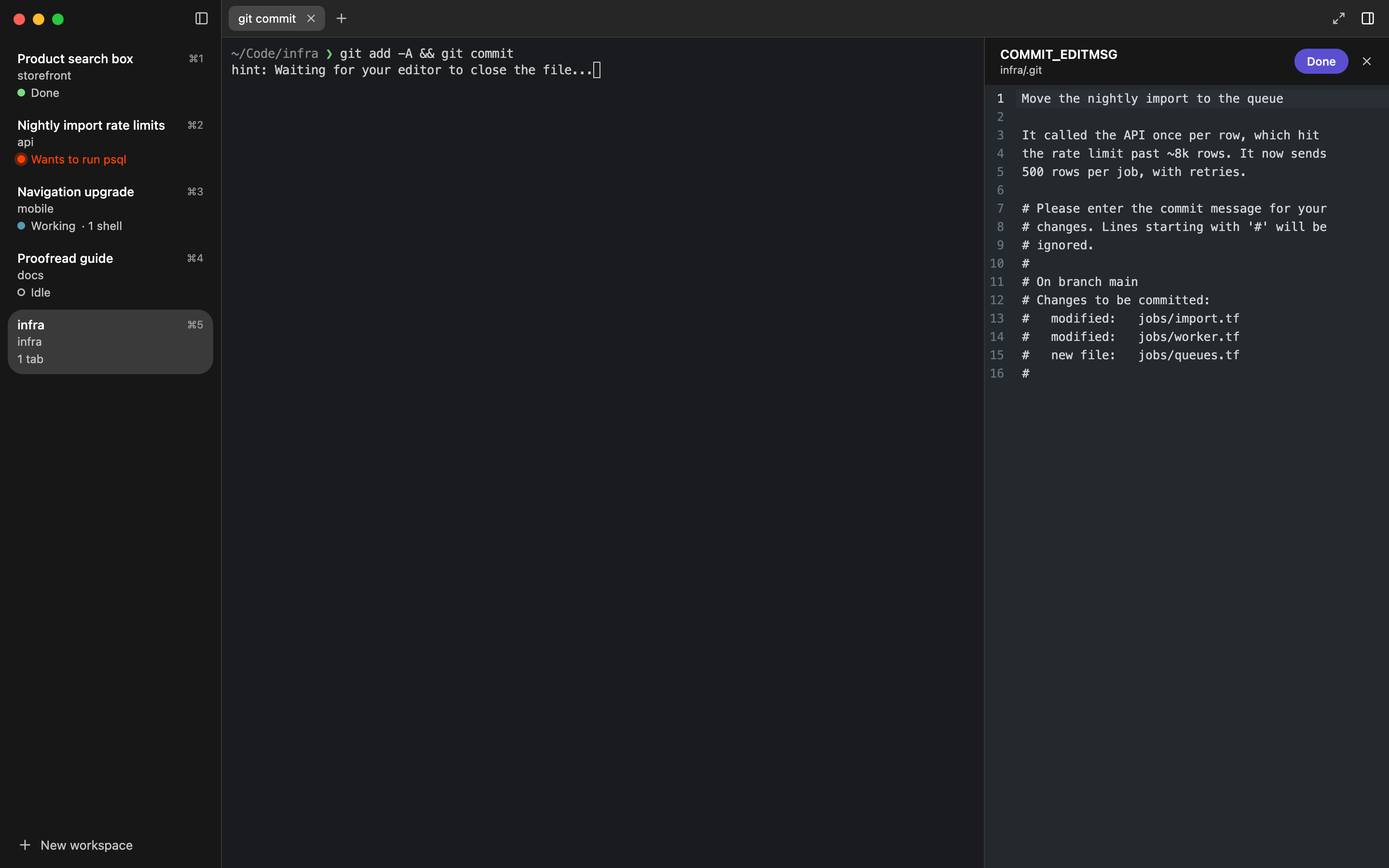
git commit, with Miks as $EDITOR.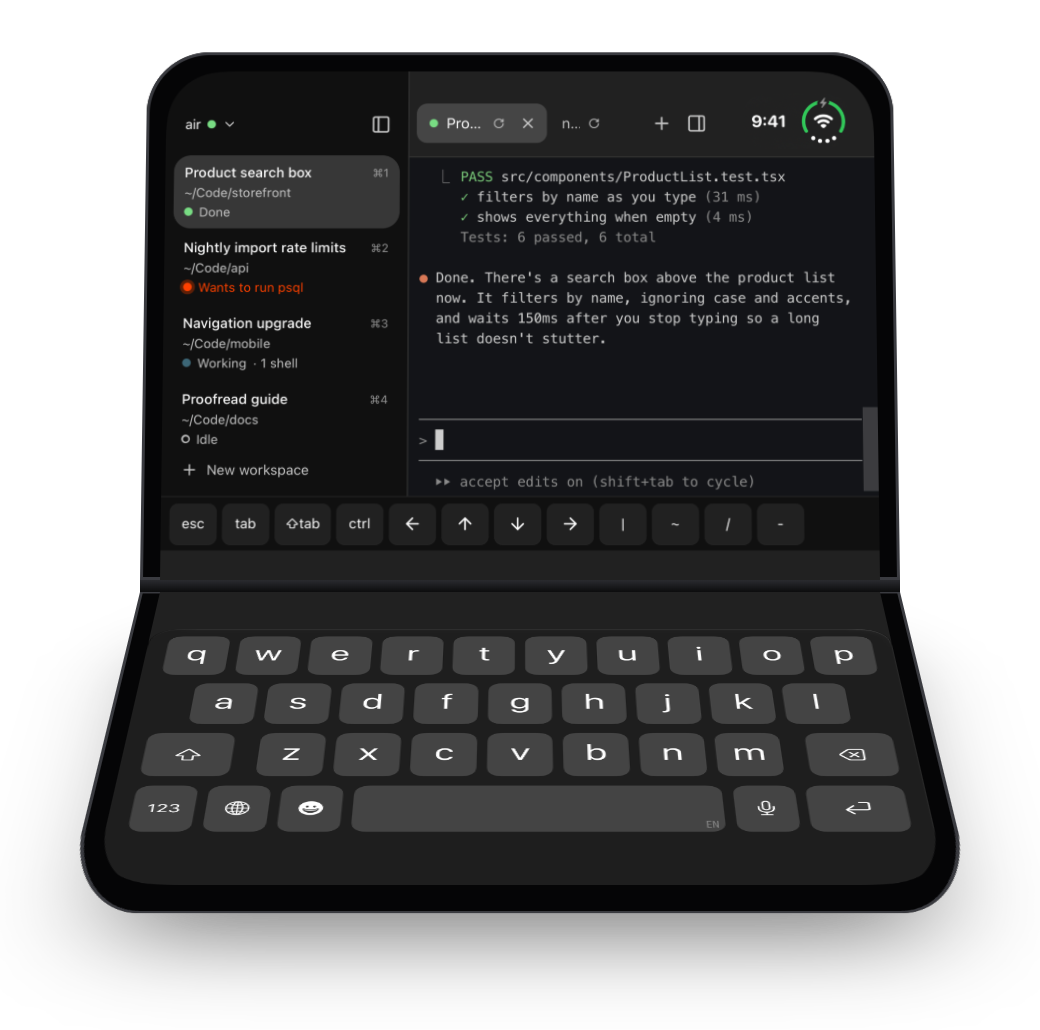
The tiniest terminal ever
Half-fold an iPhone Duo and it's a laptop: the terminal on top, the keyboard below, with a key bar for Esc, Tab, Ctrl, and arrow keys that repeat while you hold them.
It's the same terminal that's running on your Mac, at the size of a pocket.
Mac
macOS 13 or later on Apple Silicon. Miks updates itself. Add Tailscale for everything away from the Mac.
Download MiksiPhone & iPad
A public beta on TestFlight. It needs a Mac running Miks on your tailnet, with “Access from your other devices” turned on.
Join the betaOpen source
MIT licensed. Agent status comes from hooks Miks adds to each agent's settings, and turning them off takes them back out.
Source on GitHub